 Buy me a Koffee
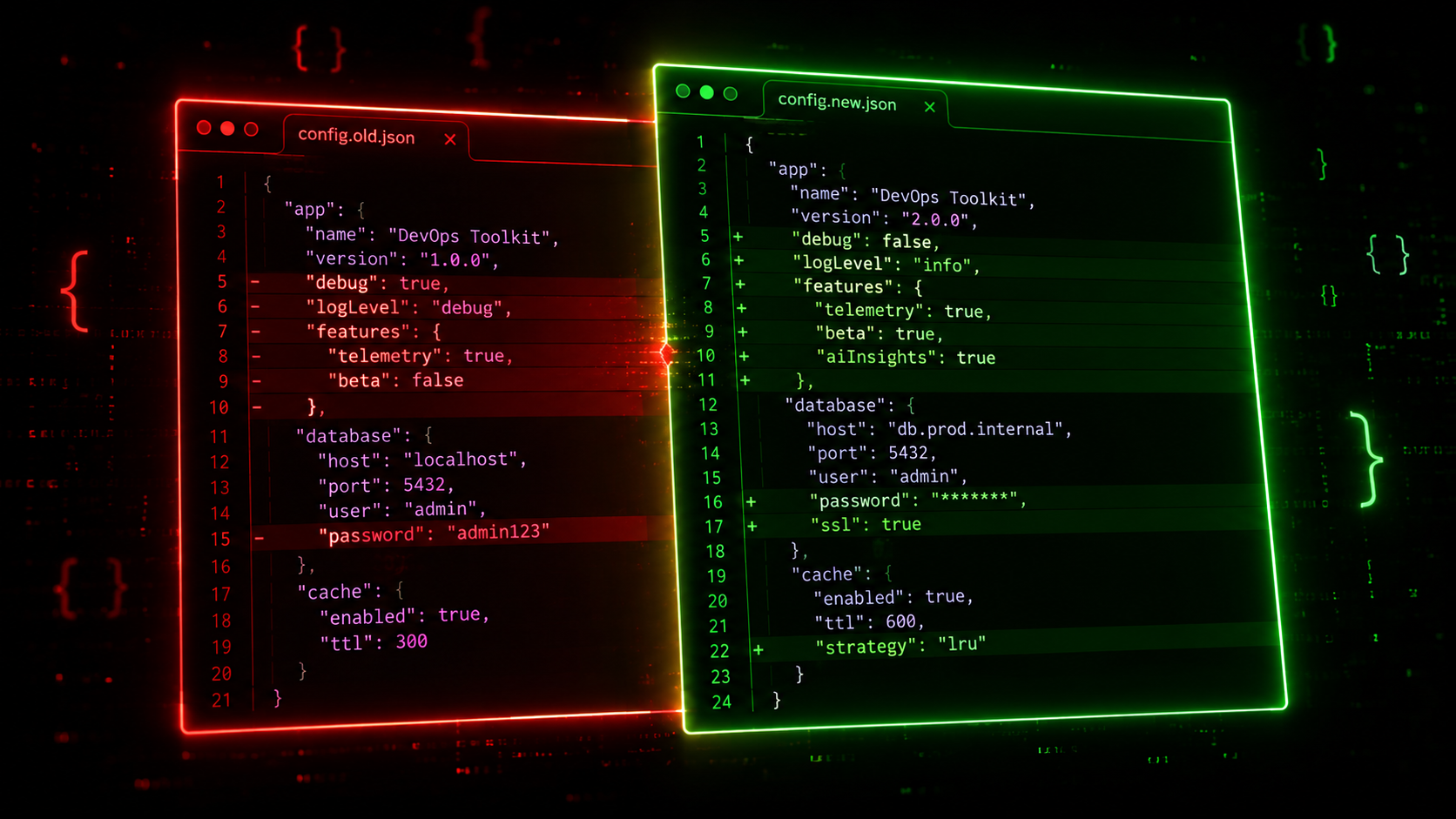
Terraform state files are the source of truth for your infrastructure. They contain the current state of every resource Terraform manages, the metadata Terraform uses to plan changes, and often sensitive values like generated passwords, private keys, and connection strings.
They are also JSON files that grow without bound as your infrastructure scales. A state file for a mature AWS environment can easily reach hundreds of kilobytes with hundreds of nested resources. When something goes wrong, you need to compare two versions of that file to understand what changed.
This is where most developers reach for git diff and immediately regret it.
Why git diff Fails for JSON Comparison
git diff performs a line-by-line text comparison. For JSON files this produces output that is technically accurate but practically useless in two situations.
The first situation is key reordering. JSON objects have no defined key order. Different tools, different versions of the same tool, and different platforms may serialize the same JSON object with keys in different orders. When Terraform writes a state file the key order may differ from the previous write even if no actual values changed. git diff sees different lines and reports differences that do not represent any real infrastructure change.
The second situation is whitespace and formatting. A JSON formatter that uses two-space indentation produces different line-by-line output than one that uses four-space indentation or compact single-line format. git diff reports every line as changed even if the data is identical.
The result is a diff output that is hundreds of lines long for a change that touched three values, with no clear way to distinguish the real changes from the formatting noise.
What Semantic JSON Diff Does Differently
A semantic JSON diff parser understands the structure of JSON rather than treating it as a text file. Before comparing, it parses both inputs as JSON objects, normalizes the key order by sorting alphabetically at every level of nesting, then compares the resulting canonical representations.
Two JSON objects that contain the same data but with different key ordering produce zero differences under semantic comparison. A key that changed value produces one change. A key that was added shows as an addition. A key that was removed shows as a deletion.
For a Terraform state file comparison this is the difference between a diff you can read and act on versus a diff you spend twenty minutes deciphering before giving up and reading the raw files directly.
Reading a Terraform State Diff in Practice
When you are comparing Terraform state files you are usually trying to answer one of a few specific questions.
What resources were added or removed in this apply? A semantic diff shows new resource blocks as additions and destroyed resource blocks as deletions without noise from formatting changes elsewhere in the file.
What attribute values changed on an existing resource? For a resource that was updated in place you want to see only the specific attributes that changed, not the entire resource block reformatted. Semantic diff makes this immediately visible.
Did this apply change anything it was not supposed to? Sometimes a Terraform apply has unexpected side effects on resources you did not intend to modify. Comparing the before and after state file surfaces these unintended changes.
Was this state file manually edited and if so what was changed? Teams sometimes edit state files directly with terraform state commands or in rare cases with text editors. A diff between the original and edited version makes the changes auditable.
JSON Schema Validation for Terraform and API Contracts
Beyond diffing, JSON Schema validation is a separate but related workflow that comes up regularly in platform engineering.
Terraform module outputs follow a schema. If your module outputs a networking configuration object you can define a JSON Schema that describes the expected shape of that output and validate generated configurations against it before applying them. This catches type mismatches, missing required fields, and values outside expected ranges before they cause a failed apply or a subtle misconfiguration.
API contracts between services in a microservices architecture are another common use case. When service A sends a request to service B, both teams agree on a JSON Schema for the request and response bodies. Validating request and response payloads against the schema in your CI pipeline catches breaking changes before they reach production.
JSON Schema draft-07 covers the most common validation requirements: type checking for strings, numbers, booleans, arrays, and objects; required field validation; string length constraints with minLength and maxLength; numeric range constraints with minimum and maximum; value allowlists with enum; pattern matching with regular expressions; and additionalProperties to enforce that no unexpected fields are present.
Common Mistakes When Comparing JSON Files
Comparing minified JSON against formatted JSON produces a useless diff regardless of which tool you use. Normalize both inputs to the same format before comparing.
Comparing files with different encodings causes spurious differences on non-ASCII characters. Ensure both files are UTF-8.
Including generated or volatile fields in your comparison produces noise. Terraform state files contain fields like serial and lineage that change on every apply regardless of infrastructure changes. If you are comparing state files regularly it is worth knowing which fields carry signal and which are always different.
Not sorting arrays before comparison can be misleading. JSON arrays are ordered by definition, and two arrays with the same elements in different orders are semantically different in JSON even if they represent the same set of things in your domain. Terraform state files sometimes contain arrays of security group rules or subnet IDs where the order is not meaningful. Be aware of this when interpreting array differences.
The JSON Diff Workflow for Daily Use
The OpsBash JSON Diff tool handles semantic comparison directly in your browser. Paste the original JSON in the left panel and the modified JSON in the right panel. The tool parses both, sorts all keys at every nesting level, and produces a clean diff showing only real value differences. A summary bar shows the total additions, deletions, and unchanged lines so you can immediately assess the scope of the change.
For schema validation, paste your JSON data in the left panel and your JSON Schema in the right panel. The tool validates against draft-07 and shows each validation error with the exact field path and the specific rule that was violated. Everything runs client-side so Terraform state files containing sensitive resource metadata never leave your machine.
Frequently Asked Questions
Why does my Terraform state diff show hundreds of changes when I only modified one resource?
You are almost certainly using a line-by-line diff tool on JSON that was serialized with different key ordering between the two versions. Use a semantic JSON diff tool that normalizes key order before comparing.
Can I use JSON Schema to validate Terraform variable files?
Yes. Terraform variable files are valid JSON when using the .tfvars.json format. You can define a schema for your variable file structure and validate it in CI before running terraform plan.
What is the difference between JSON diff and git diff on a JSON file?
git diff is a line-by-line text comparison that is not aware of JSON structure. JSON diff parses both inputs as data structures and compares the data, making it insensitive to formatting and key ordering differences.
How do I compare two JSON files from the command line?
Install jq and run diff <(jq --sort-keys . file1.json) <(jq --sort-keys . file2.json). The sort-keys flag normalizes key order before diffing, which handles the most common source of noise in JSON file comparison.
Is it safe to paste Terraform state files into an online tool?
Only if the tool processes everything client-side and sends nothing to a server. Terraform state files often contain sensitive values including generated passwords and private keys. The OpsBash JSON Diff tool runs entirely in your browser with no server-side processing.